-
I added a way to post digital garden seedlings to the blog.
-
What are seedlings?
-
Seedlings are half-done articles/notes kept in a digital garden.
-
They are like drafts, but we keep them public because not every one of them will be finalized.
-
I can also use seedlings to privately reply to people using my blog and send them the link.
-
Seedlings are entirely hidden, but you can find them if you know their URL.
-
-
The goal
-
The goal of my Zettelkasten is to develop my notes into posts I publish here.
-
I’m migrating my Zettelkasten notes from Craft into Bike because it’s more open, and I can do fun things with it, like post directly from it to my blog.
-
-
Posting seedlings from Bike
-
There are note branches in my Zettelkasten, which can be migrated to a seedling, so I can start working on it.
-
I extract these notes into separate files, naming them using their number from my Zettelkasten.
-
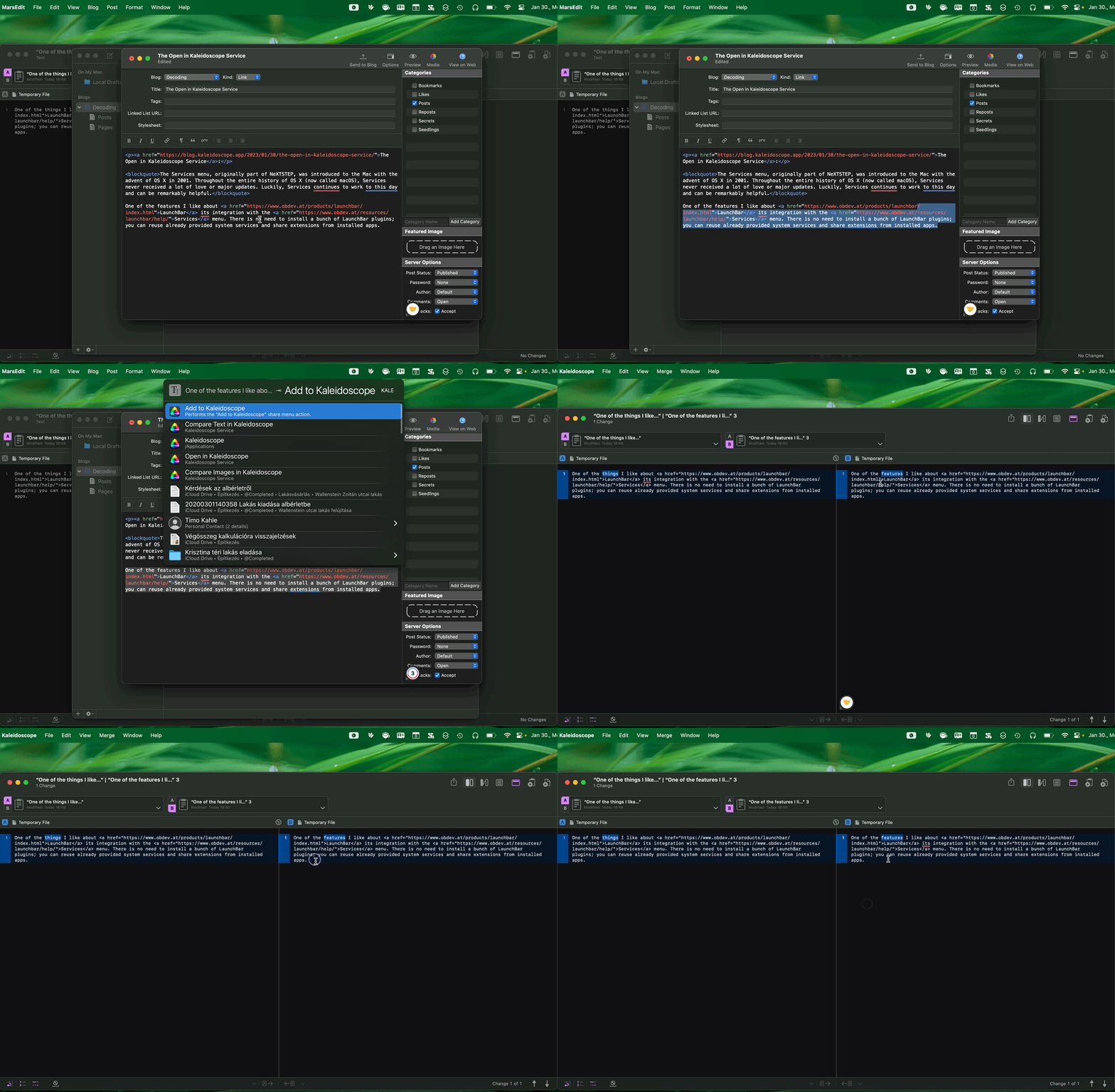
I can invoke a simple Ruby script, which is going to prepare and post to my blog.
-
The script also links them using Hookmark, so I can switch back and forth between writing the post and previewing it.
-
-
Demo
-
Previously
2023.01.30.
Bookmarked “My Knowledge Wiki | Everything I know“:
This is my personal wiki where I share everything I know about this world in form of an online wiki built with Docusaurus on GitHub.
Bookmarked “Grila – Calendar for keyboard addicts“:
Calendar for keyboard addicts instantly available on a hotkey
2023.01.29.
Numbers can be used to store next actions and projects in a GTD system
I was thinking about making a more advanced GTD system in Numbers other than just using Reminders in macOS. This post lays out this idea in more detail.
First, create two tables for lists
We can store next actions of a GTD system in Apple Numbers by creating two tables for “Next Actions” and “Projects”.
- The Projects list is just a list of projects with a completion checkbox, a title, and an optional due date field.
- We could add optional notes or a project support field to link notes and other assets or link them using the title field.
- The Next Actions list contains a completion checkbox, a title, a due date, a context, and an optional project field.
- The context field can be a drop-down listing of all of our contexts.
- The project field can be linked using a formula for the projects table title field.
Add groups for contexts
- Grouping on the next actions table can be used to group next actions by context.
- Contexts groupings can be folded, depending on where we are and what we want to see.
- We can create sums for the number of next actions in a group.
Optionally, sync with Reminders
Writing an AppleScript for syncing with Reminders should be possible.
- The script can create different Reminders lists for each context like Kinless GTD did for iCal back in the day.
- The due date field should be assigned as a Reminders due date.
- Next actions can be added to each Reminders list using the following format:
- ✓ Next action title [Project Title]
Questions
- Could it be possible to sync changes from Reminders back to Numbers using AppleScript?
- How would we store task-related notes?
- A new field can be long, but we can’t have fields under row without merging rows or columns.
- What would be the benefit of this system other than just using a proper task management app like OmniFocus or Things?
- I guess the reason is that Numbers is more flexible than Reminders and comes with every Mac.
2023.01.28.
Bookmarked “Infinite Mac“.
2023.01.27.
Bookmarked “GTD Dictionary“.
2023.01.25.
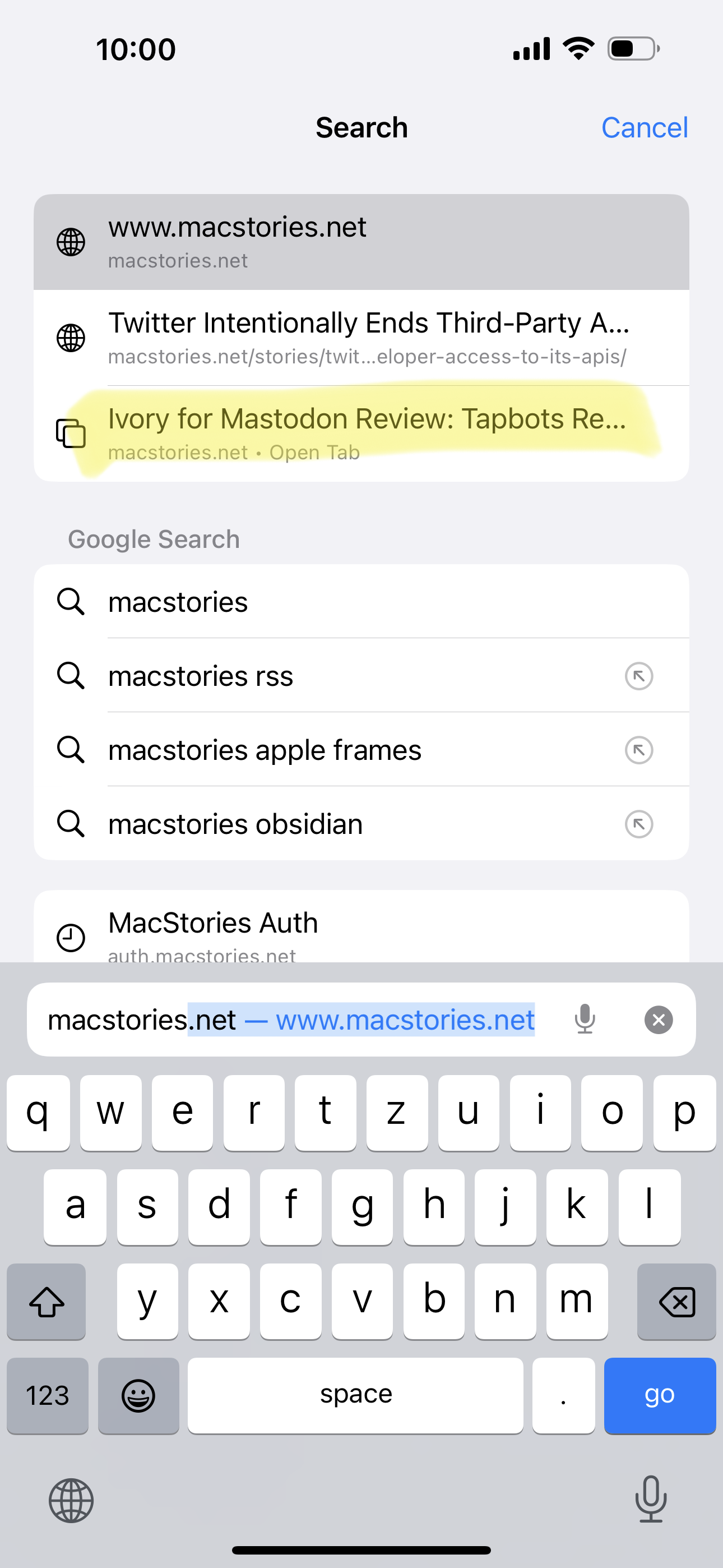
Excellent app, but you can switch tabs from the keyboard in Safari by focusing on the URL bar and typing the tab’s name. Safari will offer you to switch to a matched tab.
It works on iOS and macOS too.

2023.01.20.
I was thinking about installing a new Mastodon instance and creating a new account. Still, this blog is already capable of RSS and ActivityPub, so I’m not sure if I need the social aspect of yet another social network. I simply want to blog. It’s an easy to follow concept, and I have comments open if you want to leave a reply.
There is a way to follow me on Mastodon, though; you can do it by pasting the following handle into Mastodon’s search bar:
@zsbenke@decoding.io
Twitter Officially Bans All Third-Party Apps
Twitter today confirmed that it is no longer permitting third-party developers to create Twitter clients, with the information quietly shared in an updated developer agreement that was spotted by Engadget. A new clause under Restrictions says that developers are not able to “create a substitute or similar service or product to the Twitter Applications.”
The continued genius of Space Karen just impresses me.
This is the final nail in the coffin of Twitterrific and Tweetbot. These were great apps!
2023.01.16.
Elon Musk is the best thing that happened to RSS in years.

2023.01.11.
All About Tickler Files: Leveling Up Your 43 Folders Game
Speaking of 43 Folders:
A tickler file is an analog reminder system: a way to deliver documents and information to your future self.
Think of it as a physical mail box, linked to your calendar. Think of it as your calendar’s snail mail service.
Re-reading 43folders.com
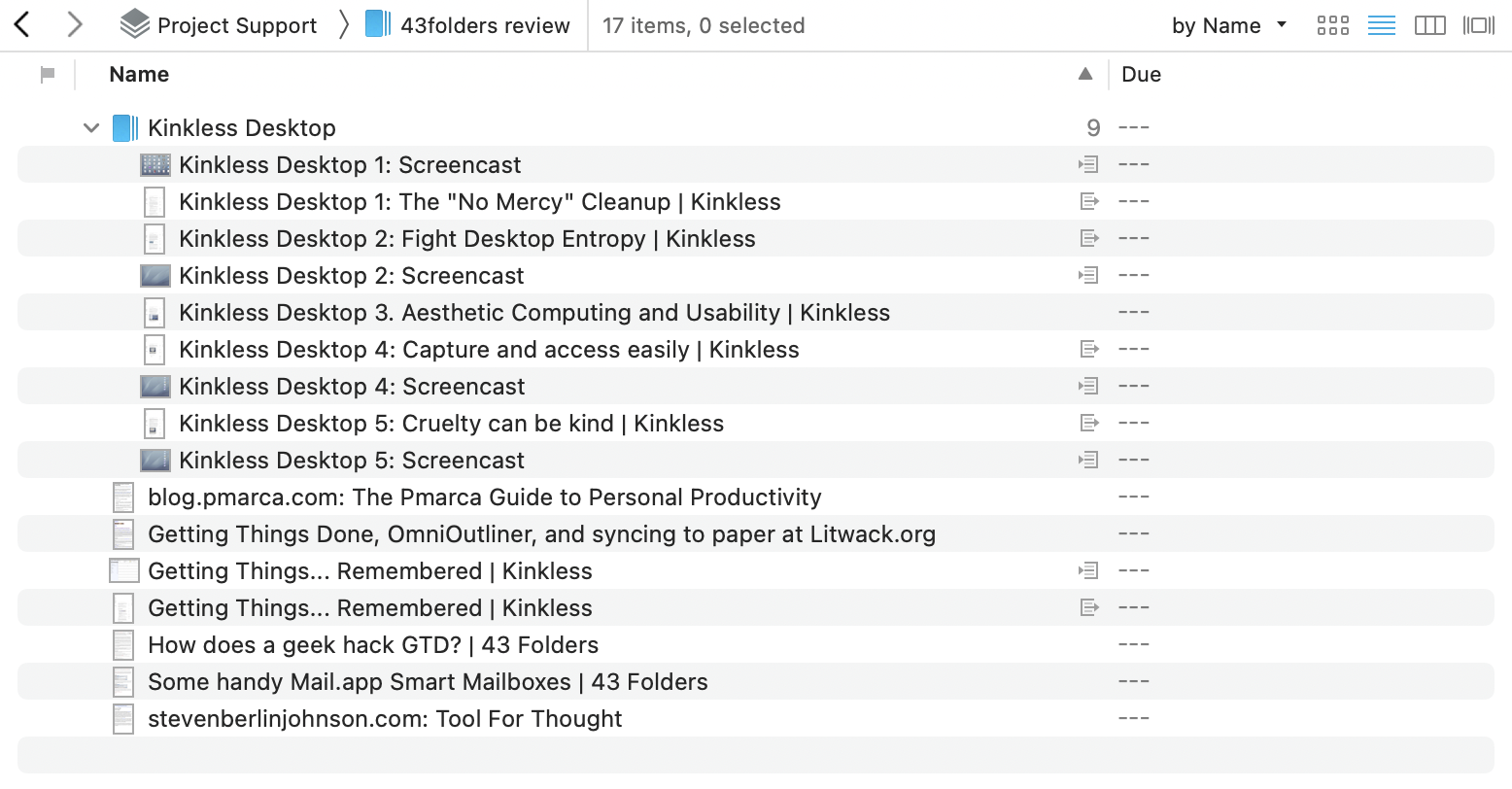
I recently started making read/review-related GTD projects to be more disciplined about consuming websites and books. I do this because I want to extract information from them and not just read and forget it.
The current one is 43folders.com, which is old, but still contains many valuable tips and tricks regarding Mac productivity. I’m unsure if there is anything like that today like the Mac blogging scene was from 2003-2008 – maybe MPU Talk — when everybody was obsessed with GTD, QuickSilver, Mac OS X, and productivity. Good times!
Anyway… I started to archive interesting articles linked on 43 Folders into DEVONthink. Sadly, many of those blogs are no longer around, but archive.org has them saved.

2023.01.09.
Learn about how I use OmniFocus
I got a chance to talk on The Omni Show about how I use OmniFocus:
In this episode, we’re joined by Zsolt Benke, a developer from Pécs, Hungary. More than a decade ago, Zsolt started his coding life on the Web, designing and building WordPress sites. Now, he works in both web and iOS development. In his spare time, Zsolt enjoys blogging about productivity and technology, and co-hosting the podcast Agyvihar.
I think it has turned out to be a cool episode. I mentioned a couple of tricks and tips from my current system based on GTD. I hope you’ll like it!
2022.12.29.
Getting the URL of the selected note in Apple Notes
I figured out how to get the built-in Apple Notes URL for the selected note in Hookmark (or in any app that can run Apple Scripts), so I can replace the default Hookmark script, which is a bit cumbersome.
I have a detailed write-up about the script’s inner workings in the Hookmark forums. It can be helpful even if you don’t use Hookmark. You can modify the script to copy the URL to the clipboard.
Bookmarked “WinterFest 2022“.
2022.12.26.
Downloading YouTube videos with DEVONthink
-
How I download YouTube videos into DEVONthink automatically.
-
1. While browsing YouTube or checking my subscriptions from Reeder, I can save videos to my Decoding playlist.
-
2. By subscribing to the channel using its hidden RSS feed from DEVONthink, I can get saved videos into my Decoding database.
-
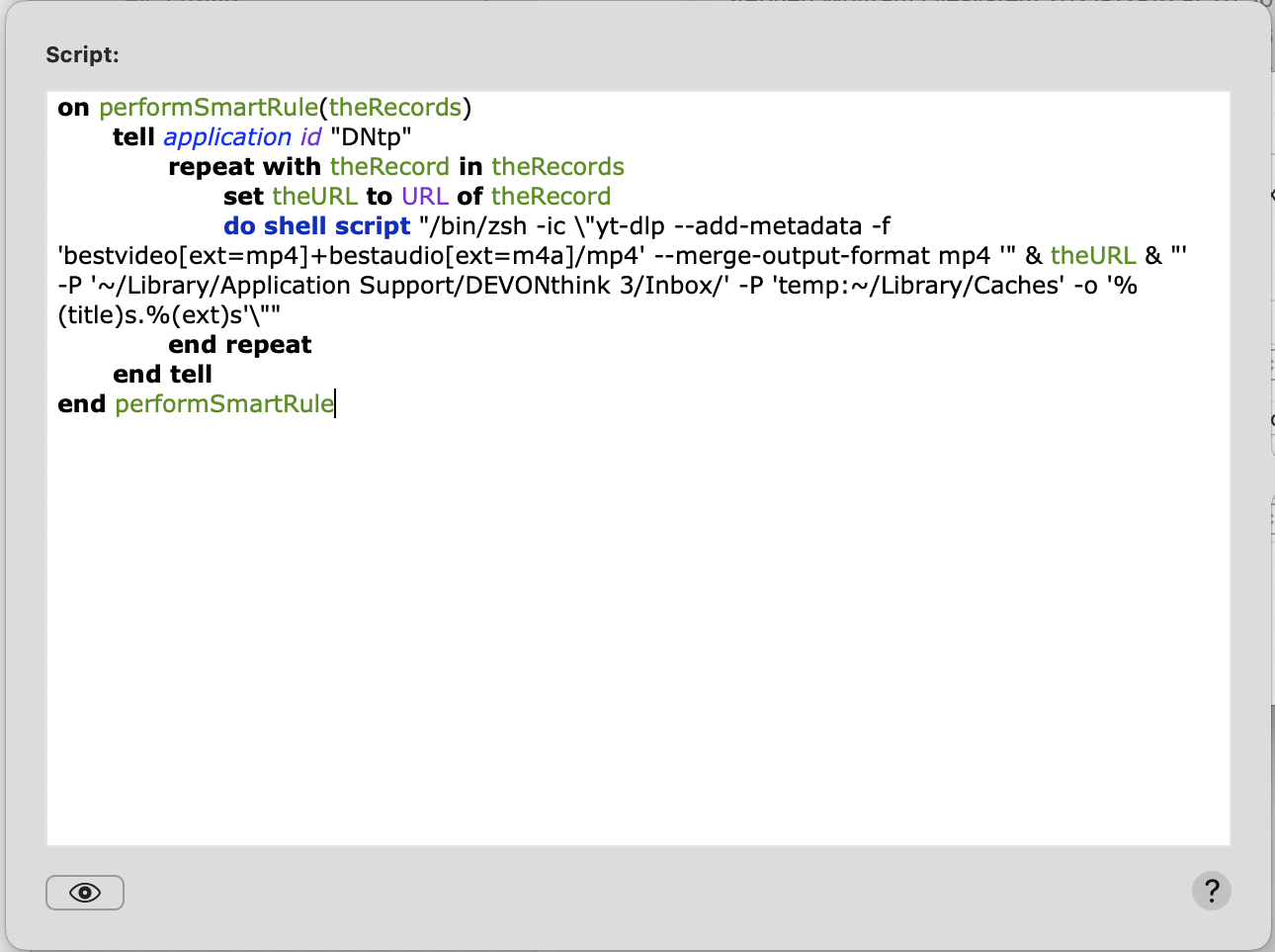
3. DEVONthink watches this RSS feed via a smart rule and downloads videos using
yt-dlp.-
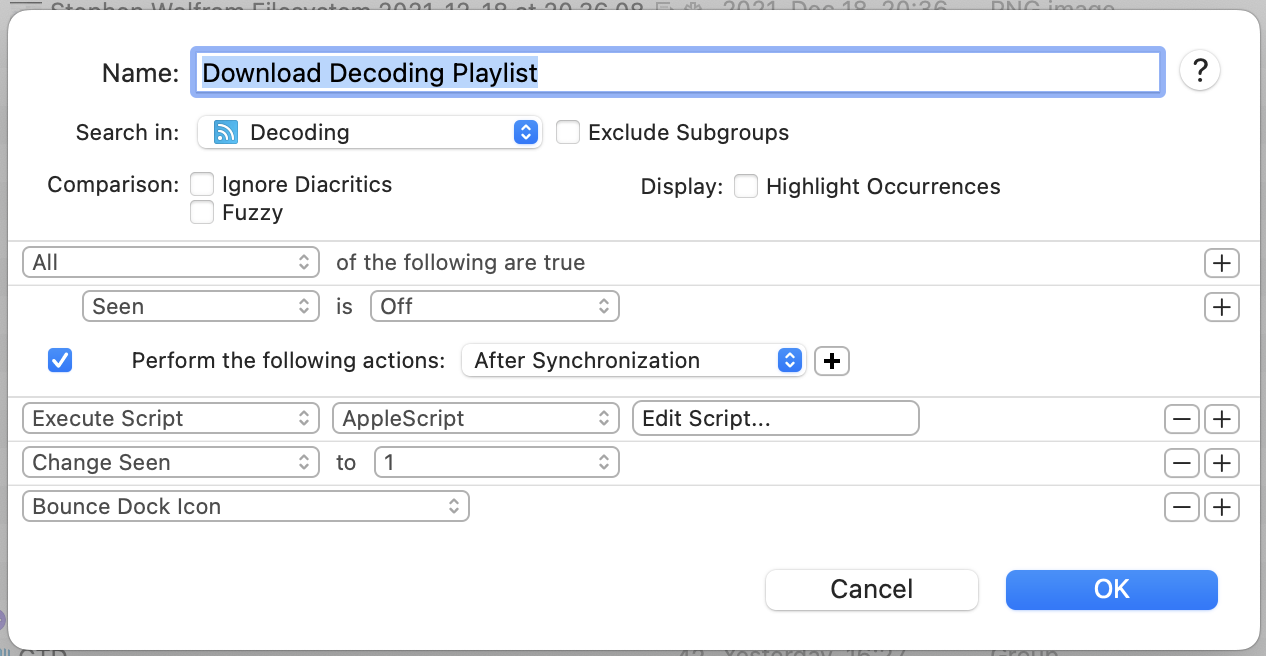
Here’s a screenshot of the rule and the attached script.
-
I use
yt-dlpbecause it’s faster than youtube-dl lately. -
I use a custom “Seen” field to mark videos in the RSS feed as downloaded, so the script downloads them only once.
-
-
4. The script saves videos into my inbox folder at
~/Library/Application Support/DEVONthink 3/Inbox, which automatically gets imported by DEVONthink. -
5. From here, I can organize downloaded videos, start watching them and take notes.
-
Tweaking workflows
-
I constantly tweak my workflows this time of the year. I usually provide tools for others—that’s what I do for a living—but I also have to keep my knives sharp.
-
This year I’m tweaking two things.
-
Take better notes while watching a video.
-
1. I set up a YouTube channel piped into DEVONthink using RSS to download videos automatically.
-
2. I can use DEVONthink’s Annotations feature locally to insert timestamp-specific notes for the video.
-
3. I can export the annotation into Craft and create “permanent notes” in my Zettelkasten.
-
-
Moving my Zettelkasten over to Bike.
-
I like to think about my Zettelkasten being a large outline. Keeping it inside Bike could be beneficial.
-
I’m trying to mimic the analog Zettelkasten (or Antinet).
-
I won’t use an analog one since I like the digital one’s benefits better, but I also want ideas from the analog one.
-
I’m a programmer and I use my Zettelkasten to understand coding concepts. I have some code snippets stored in SnippetsLab, so it’s easier to link to those from my Zettelkasten outline than keeping them on paper.
-
-
I can nest notes under each other.
-
I can easily link notes together thanks to the Bike and Hook integration.
-
-
-
Disadvantages
-
I don’t have backlinks, but I’m not sure I need that inside a Zettelkasten.
-
-
2022.12.24.
This is just a test to see if Brid.gy POSSE works from a client.
Okay, I’m turning back post syndication to my Twitter feed. You should be able to follow me there too, but I would recommend Mastodon or Micro.blog.
Sometimes I forget how superb Micro.blog is. I can interact with Mastodon users but can also post directly to my blog.
2022.12.23.
Got MarsEdit 5 installed.
-
BTW, I just love this new way of blogging.
-
I can just edit a file in Bike, press
⌘⌥⌃Pand the post just shows up here.
-
Trying to figure out how to send a reply to Mastodon instances from this blog using webmentions.
-
I think it doesn’t work because I don’t have an account on any Mastodon instance to POSSE the reply, so sending a webmention alone doesn’t do anything.
-
Micro.blog actually supports replies: Replies and @-mentions – Getting started – Micro.blog Help Center
-
-
I added ActivityPub integration to the blog, so you can follow me via Mastodon (or any other similar application that uses ActivityPub) by searching for my profile (
zsbenke@decoding.io) from your instance.
LastPass says hackers stole customers’ password vaults
This is why I don’t use 1Password’s custom sync engine.
Blogging with Bike
-
I had this short post from a couple of years ago, where Dave Winer showed how he could blog from an outliner in a video. Basically, he edits an OPML file that gets synced to his blog—the website also looks like an outline.
-
I still like this outline-based blogging approach. It is so easy to change and publish. I wanted to have this for myself too.
-
Jesse Grosjean (the guy who did TaskPaper) recently released an outliner app called Bike, which I often use. Since Bike is just using HTML behind the scenes, it occurred to me that if I feed that into a Ruby script, I could create something similar to what Dave has.
-
So, I created two scripts.
-
One is called
publish_from_bike.rb, which accepts a Bike file and pushes changes to my blog. -
The other is a simple AppleScript which starts the Ruby part, saves post permalinks into the Bike outline, and does some general housekeeping.
-
-
I have a small system to publish from my blogging outline. I use the following format.
-
2022-12-23
-
10:40
-
Posts with a timestamp are a published.
-
-
DRAFT
-
I can create drafts by marking them as DRAFT (or IDEA).
-
-
SKIP
-
I can also add notes or just bullets which will be skipped with the publishing script.
-
-
-
-
Plans
-
I want to have a proper toggles for these outline type posts, like Bike does.
-
It would be nice to mark them with a custom icon, like my other post formats has.
-
I may release these scripts if there is a need and they are well tested.
-
2022.12.19.
Promotion of Alternative Social Platforms Policy | Twitter Help
I can’t stop laughing!
Get your blog and leave that Twitter bullshit to Elon Musk, the champion of free speech.
2022.10.31.
iA Presenter looks really nice.